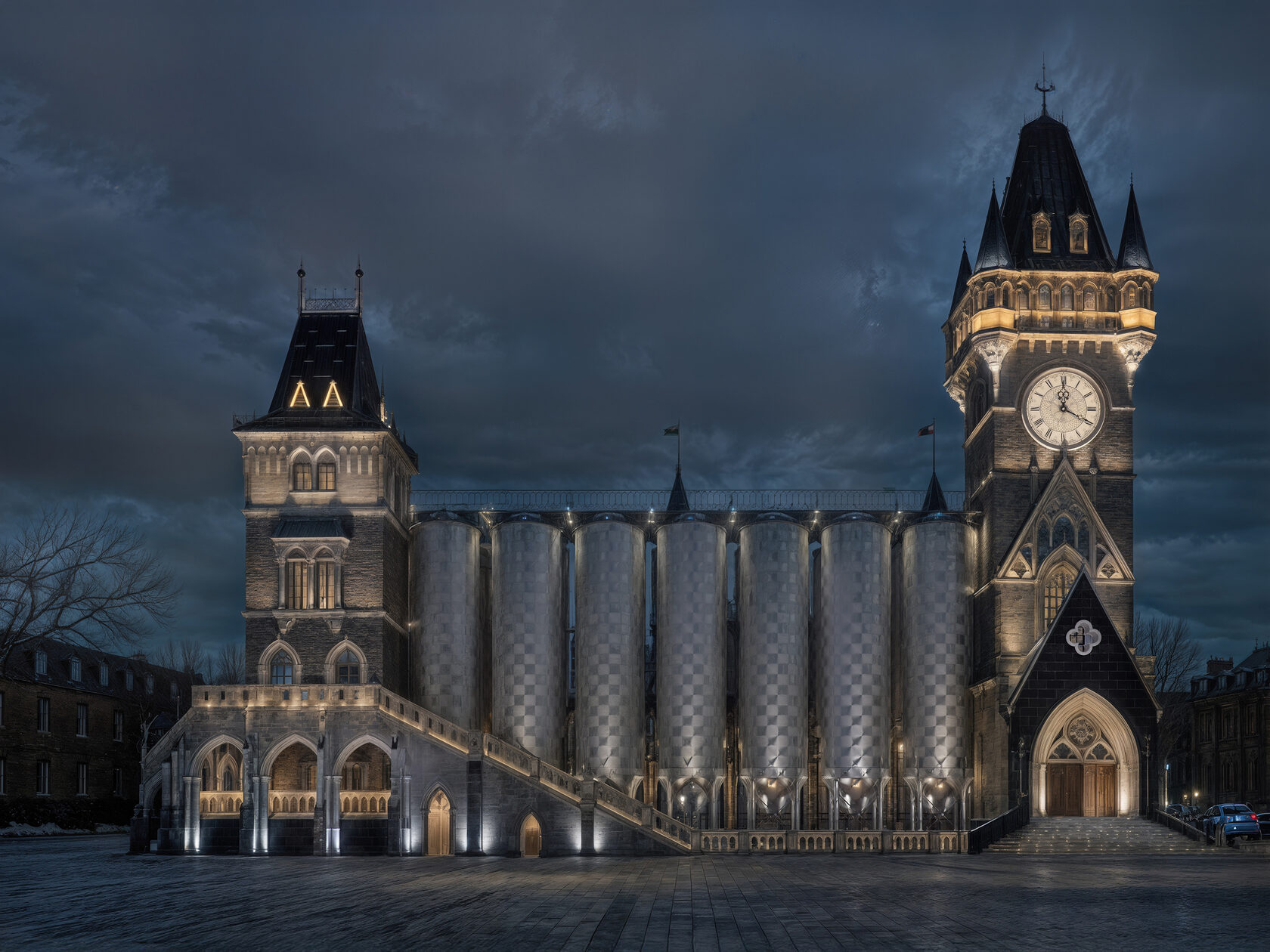
I set out to compare two video-generation models: Adobe Firefly and Kling 2.1 Pro. Kling has only recently added end-frame selection (previously available in other configurations), which makes “directing” transitions much easier. Firefly, for its part, offers broader scene control via tools like Composition Reference and Keyframe Cropping—perfect when you want to literally “place the camera” and define the dynamics.
Straight to the point—both models impressed me. I ran image-to-video, and with a strong source image plus a thoughtful prompt, both systems produced solid results. For the test, I used renders from our architectural design project for the fermentation & lagering unit No. 3 for “Tarkos.” I deliberately picked visuals from different design stages, where the volumes differ noticeably, to see how the models would “stitch” those changes. To my eye, Kling handled the state transitions more smoothly and organically. Interestingly, at a base 720p render, Kling’s perceived detail looked higher than Firefly’s at 1080p—especially obvious after upscaling. Artistically, both clips feel pleasant overall: lighting, color balance, atmosphere, camera work, and surrounding set-dressing are all on point—net positive vibes 😁
Straight to the point—both models impressed me. I ran image-to-video, and with a strong source image plus a thoughtful prompt, both systems produced solid results. For the test, I used renders from our architectural design project for the fermentation & lagering unit No. 3 for “Tarkos.” I deliberately picked visuals from different design stages, where the volumes differ noticeably, to see how the models would “stitch” those changes. To my eye, Kling handled the state transitions more smoothly and organically. Interestingly, at a base 720p render, Kling’s perceived detail looked higher than Firefly’s at 1080p—especially obvious after upscaling. Artistically, both clips feel pleasant overall: lighting, color balance, atmosphere, camera work, and surrounding set-dressing are all on point—net positive vibes 😁
What about cost? 🫰
I won’t dive into a line-by-line comparison of every option—that’s a rabbit hole. In broad strokes, with all else equal, Kling tends to be more accessible, especially given a small daily pool of free credits. Adobe, meanwhile, offers a variety of plans; with a bit of sifting you can land on a cost-effective setup.
What’s already here—and what’s coming 📋
Next, I plan to test more seamless clips with a mini-storyline and a consistent character—a solid stress test for style stability, camera motion, and “stitching.”
I won’t dive into a line-by-line comparison of every option—that’s a rabbit hole. In broad strokes, with all else equal, Kling tends to be more accessible, especially given a small daily pool of free credits. Adobe, meanwhile, offers a variety of plans; with a bit of sifting you can land on a cost-effective setup.
What’s already here—and what’s coming 📋
- Firefly is adding features fast: beyond Text/Image-to-Video you get SFX generation, translation/lip-sync, style presets, and reference video for composition and camera movement. That’s a win if you live inside the Adobe ecosystem (Express, Premiere Pro, Photoshop) and want an all-in-one with commercial safety and Content Credentials.
- Kling remains a fast, convenient choice—especially for short clips—and continues to add camera/lighting controls and modes that help smooth transitions. For first steps, the daily free allotment is a strong hook.
Next, I plan to test more seamless clips with a mini-storyline and a consistent character—a solid stress test for style stability, camera motion, and “stitching.”
#AIVideo #GenerativeAI #TextToVideo #ImageToVideo #AdobeFirefly #KlingAI #AIGeneratedVideo #MotionDesign #3DVisualization #ArchViz #pixlvox #Architecture #ИИвидео #ГенеративныйИИ #АрхитектурнаяВизуализация #ВидеоПродакшн #INSIGHTADB #ПовышаемКачествоЖизни #VideoProduction #CreativeCloud #PremierePro #PromptEngineering #CGAnimation #VFX #DesignProcess #ConceptDesign #IndustrialArchitecture #Visualization